Beyond the Limit: Advanced Context Window Management for Production LLMs
Managing the finite and costly context window of Large Language Models is a critical engineering challenge. I'll break down practical strategies and architectural patterns for optimizing token usage without sacrificing performance or accuracy in production.
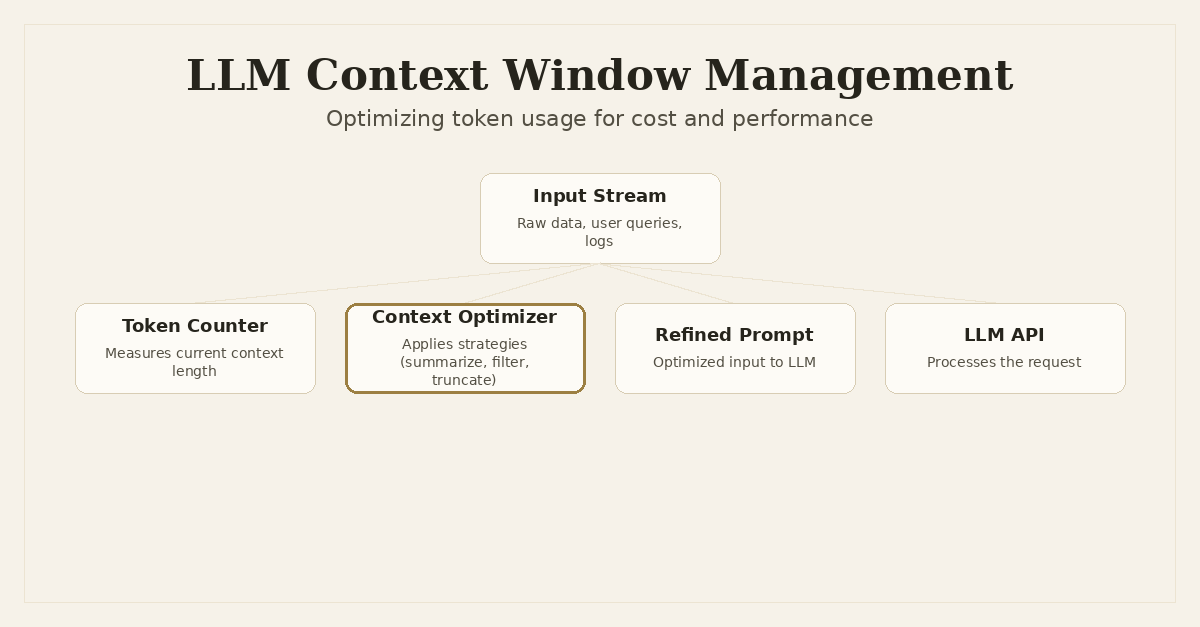
Beyond the Limit: Advanced Context Window Management for Production LLMs
Building robust applications with Large Language Models means confronting a fundamental constraint: the context window. It's the finite input space where your LLM takes in instructions, examples, and relevant data. Treat it like a precious, expensive resource. Mismanage it, and you'll run into higher costs, increased latency, and models that either hallucinate more or simply fail to perform as expected.
I've seen this challenge manifest across various systems. Whether it's the Snapfix VS Code extension trying to analyze a massive Python traceback or a complex agentic workflow in Dronzer AI Gateway orchestrating multiple LLM calls, the core problem remains: how do you give the LLM enough information without overwhelming it, blowing your budget, or hitting arbitrary token limits?
This isn't just about prompt engineering. That's about crafting effective instructions. This is about engineering the input stream itself — dynamically, intelligently, and at scale. It's about making every single token count.
The Context Window Dilemma
Modern LLMs boast impressive context windows, some extending to hundreds of thousands or even a million tokens. That sounds like a lot, but it fills up fast. Consider a long-running customer support conversation, a comprehensive document analysis task, or interpreting a verbose application log. The raw data quickly exceeds what even the largest models can comfortably handle.
Here's why this is a critical engineering problem:
- Cost Implications: Most commercial LLM APIs charge per token, both for input and output. Sending unnecessary tokens directly translates to higher operational costs. A 100k token context might cost pennies for a single call, but multiply that by thousands or millions of calls, and your bill explodes. This is a primary concern for any production system, especially one like
Dronzer AI Gatewaywhich routes potentially millions of requests. - Latency Implications: Larger contexts mean more data for the model to process. This directly impacts response times. Even if the cost isn't prohibitive, adding hundreds or thousands of milliseconds to every API call degrades user experience. Real-time applications, like providing fix suggestions in
Snapfix, simply can't afford this. - Accuracy and Relevance: A common misconception is that more context always equals better results. Not true. Stuffing an LLM's context with irrelevant information can introduce noise, distract the model, and dilute the signal. The model might struggle to identify the most important pieces of information, leading to less accurate or less focused responses. It's like asking someone to find a needle in a haystack you've just made bigger.
- Hard Limits and Truncation: Eventually, you will hit the context window's hard limit. When this happens, most APIs either throw an error or silently truncate the input. Silent truncation is particularly insidious, as critical information can be lost without warning, leading to unpredictable and often incorrect model behavior. Building systems that gracefully handle or prevent this is paramount.
Core Strategies for Context Optimization
Solving the context window dilemma requires a multi-faceted approach. There's no single silver bullet. The best strategy often involves combining several techniques, sometimes even chaining them together.
1. Summarization: Condensing Information
One of the most direct ways to manage context is to summarize information before feeding it to the primary LLM. This is particularly effective for verbose inputs like chat histories, log files, or long documents.
Techniques:
- Intermediate Summarization: Use a smaller, cheaper, and faster LLM (e.g.,
gpt-3.5-turboor a local Ollama model) to summarize segments of information. The summarized output is then passed to the main, more capable LLM (e.g.,gpt-4or Claude Opus) for complex reasoning. - Recursive Summarization: For extremely long documents, you can break them into chunks, summarize each chunk, then summarize the summaries, and so on, until you get a concise overview that fits the context window. This is great for document Q&A or extracting key insights from reports.
Example: Summarizing Chat History for an Agent
import tiktoken
from openai import OpenAI

class ChatContextManager:
    def __init__(self, primary_model: str, summarizer_model: str, max_tokens: int):
        self.primary_model = primary_model
        self.summarizer_model = summarizer_model
        self.max_tokens = max_tokens
        self.history = []
        self.client = OpenAI()
        self.encoding = tiktoken.encoding_for_model(primary_model)

    def add_message(self, role: str, content: str):
        self.history.append({"role": role, "content": content})

    def _count_tokens(self, messages: list) -> int:
        # Simplified token counting for demonstration. Actual implementation varies by model.
        text = " ".join([m["content"] for m in messages])
        return len(self.encoding.encode(text))

    def get_optimized_context(self) -> list:
        current_tokens = self._count_tokens(self.history)
        if current_tokens <= self.max_tokens:
            return self.history

        # If history exceeds limit, try summarizing older messages
        summary_prompt = [
            {"role": "system", "content": "Summarize the following chat history concisely, focusing on key decisions and outcomes. Preserve essential context for future interactions."},
            {"role": "user", "content": ""}
        ]

        while self._count_tokens(self.history) > self.max_tokens * 1.5: # Aggressive reduction for summary
            # Take a chunk of older messages to summarize
            messages_to_summarize = self.history[1:len(self.history)//2] # Exclude system prompt and most recent
            if not messages_to_summarize: # Avoid infinite loop if history is tiny but still too big
                break

            summary_text = "\n".join([f"{msg['role']}: {msg['content']}" for msg in messages_to_summarize])
            summary_prompt[1]["content"] = summary_text

            try:
                response = self.client.chat.completions.create(
                    model=self.summarizer_model,
                    messages=summary_prompt,
                    temperature=0.3
                )
                summary = response.choices[0].message.content

                # Replace summarized messages with the summary
                self.history = [self.history[0]] + [{"role": "system", "content": f"Previous conversation summary: {summary}"}] + self.history[len(self.history)//2:]
                print(f"Summarized history. New token count: {self._count_tokens(self.history)}")
            except Exception as e:
                print(f"Error during summarization: {e}. Truncating instead.")
                # Fallback to simple truncation if summarization fails or is too slow
                break

        # Final truncation if still too large after summarization
        while self._count_tokens(self.history) > self.max_tokens:
            # Remove oldest messages until within limit
            self.history.pop(1) # Keep system message, remove oldest user/assistant messages
            if len(self.history) <= 1: # Avoid removing system prompt if it's the only thing left
                break

        return self.history

# Usage example:
# manager = ChatContextManager("gpt-4o", "gpt-3.5-turbo", 4000)
# manager.add_message("system", "You are a helpful assistant.")
# for i in range(20):
#     manager.add_message("user", f"User query {i}: This is a fairly long query about various topics related to software engineering and AI.")
#     manager.add_message("assistant", f"Assistant response {i}: I understand. Let's break down your query into manageable parts and address each point comprehensively.")
#
# optimized_messages = manager.get_optimized_context()
# print(f"Final optimized token count: {manager._count_tokens(optimized_messages)}")
This ChatContextManager demonstrates a basic recursive summarization. In a real system, Dronzer AI Gateway could dynamically select the summarizer model based on cost, latency requirements, and the complexity of the content.
2. Intelligent Filtering and Prioritization
Not all information is equally valuable. Sometimes, simply removing irrelevant data is more effective than summarizing it. This is crucial for scenarios where precision is key, like in Snapfix when analyzing a traceback.
Techniques:
- RAG Result Filtering: When using Retrieval Augmented Generation (RAG), your vector database might return many chunks. Instead of sending all of them, use a smaller LLM or heuristic rules to rank and filter the most relevant chunks before passing them to the main LLM. You might prioritize chunks with higher semantic similarity scores, or those containing specific keywords.
- Log Analysis: For verbose logs, filter out common
INFOorDEBUGmessages, focusing only onWARNING,ERROR, orCRITICALentries, perhaps within a specific time window.Snapfixcould use this to filter irrelevant log lines from a traceback, focusing only on the stack frames and error messages. - Heuristic-based Truncation: Instead of blindly truncating from the oldest, define rules to preserve critical parts of the context. For instance, always keep the user's latest query, the system prompt, and any explicit instructions, even if it means truncating older conversational turns.
Example: Filtering Traceback for Snapfix
def filter_traceback_for_relevance(traceback_text: str, max_tokens: int) -> str:
    encoding = tiktoken.encoding_for_model("gpt-4o") # Use the target model's encoding
    lines = traceback_text.split('\n')
    relevant_lines = []
    token_count = 0

    # Always include the last few lines (the actual error message)
    error_message_lines = []
    for line in reversed(lines):
        if token_count + len(encoding.encode(line)) < max_tokens * 0.2: # Reserve 20% for error message
            error_message_lines.insert(0, line)
            token_count += len(encoding.encode(line))
        else:
            break

    # Prioritize lines containing specific keywords (e.g., file paths, function calls)
    # and stack frames. Skip overly verbose internal library noise.
    for line in lines:
        if "File \"" in line or "in <module>" in line or "Error:" in line or "Exception:" in line:
            # These are usually critical stack trace lines or error indicators
            relevant_lines.append(line)
            token_count += len(encoding.encode(line))
        elif "site-packages" in line and not any(keyword in line for keyword in ["your_project_name", "app_name"]): # Adjust project name
            # Often, internal library calls aren't directly relevant for a fix suggestion
            continue
        elif len(relevant_lines) > 0 and relevant_lines[-1].strip() == line.strip():
            # Deduplicate consecutive identical lines (can happen with some logs)
            continue
        else:
            # Add other lines if space allows, but lower priority
            relevant_lines.append(line)
            token_count += len(encoding.encode(line))

    # Combine and ensure overall token limit is respected
    final_context_lines = []
    current_tokens = 0

    # Add system prompt instructions first (not part of traceback, but part of overall prompt)
    # For this example, we'll just focus on the traceback itself.

    # Add the most relevant lines first
    for line in relevant_lines:
        line_tokens = len(encoding.encode(line))
        if current_tokens + line_tokens < max_tokens - len(encoding.encode("...")):
            final_context_lines.append(line)
            current_tokens += line_tokens
        else:
            break

    # Ensure error message is at the end if it wasn't already included
    # This part needs careful logic to avoid duplication and ensure it's the *last* thing the LLM sees.
    for line in error_message_lines:
        if line not in final_context_lines:
            line_tokens = len(encoding.encode(line))
            if current_tokens + line_tokens < max_tokens:
                final_context_lines.append(line)
                current_tokens += line_tokens
            else:
                break

    if current_tokens >= max_tokens:
        # If still too long, indicate truncation
        return "...\n" + "\n".join(final_context_lines[-int(max_tokens / len(encoding.encode(" "))):]) # crude truncation
    else:
        return "\n".join(final_context_lines)

# Example traceback
# sample_traceback = """
# Traceback (most recent call last):
#   File "/path/to/my_app.py", line 10, in <module>
#     result = divide_by_zero(5)
#   File "/path/to/my_app.py", line 7, in divide_by_zero
#     return x / 0
# ZeroDivisionError: division by zero
# """
# optimized_tb = filter_traceback_for_relevance(sample_traceback, 1000)
# print(optimized_tb)
This function attempts to intelligently filter a traceback, prioritizing error messages and direct stack frames while potentially omitting less critical library calls. This is a heuristic approach, and its effectiveness depends on the specific nature of the logs. For Snapfix, this means focusing the AI on the parts of the traceback most likely to lead to a useful fix.
3. Sliding Window / Fixed-Size Context
For long-running conversations or processing continuous streams of data, a "sliding window" approach is often necessary. You maintain a fixed-size buffer of the most recent information, discarding the oldest data as new data arrives.
Techniques:
- Conversational Memory: Keep the last
Nturns of a conversation. If the conversation exceeds this, discard the oldest turn. More advanced versions might summarize older turns before discarding them, or use RAG to retrieve relevant facts from the entire history. - Document Chunks: For very large documents, process them in overlapping chunks. The context for processing chunk
Nmight include the summary or key entities extracted from chunkN-1.
Example: Basic Sliding Window for Chat History
import collections

class SlidingChatWindow:
    def __init__(self, max_messages: int):
        self.max_messages = max_messages
        self.history = collections.deque(maxlen=max_messages)

    def add_message(self, role: str, content: str):
        self.history.append({"role": role, "content": content})

    def get_context(self) -> list:
        return list(self.history)

# Usage:
# window = SlidingChatWindow(max_messages=5)
# window.add_message("user", "Hi")
# window.add_message("assistant", "Hello")
# window.add_message("user", "How are you?")
# window.add_message("assistant", "I'm good.")
# window.add_message("user", "What's up?")
# print(window.get_context()) # Contains last 5 messages
# window.add_message("assistant", "Not much.")
# print(window.get_context()) # Oldest message (Hi) is gone
While simple, this deque-based approach is effective for basic memory management. In Dronzer AI Gateway, this could be part of a more sophisticated agent memory module, where the max_messages or max_tokens (after token counting) are dynamically configured per agent or task.
4. Prompt Compression Techniques
This goes beyond just summarization and filtering. It's about making the prompt itself more dense and efficient.
Techniques:
- Instruction Tuning: Refine your system prompts and instructions to be as concise and clear as possible. Every word should add value. Remove redundant phrases or overly polite language.
- Few-shot Example Selection: Instead of providing a fixed set of few-shot examples, dynamically select the most relevant examples (e.g., using semantic search on a vector store of examples) to include in the prompt. This ensures that the examples are highly pertinent to the current query, maximizing their impact while minimizing token count.
- Schema-based Prompting: For structured output, use tools like Pydantic or JSON Schema to define the desired output format. This is often more token-efficient than lengthy natural language descriptions and guides the LLM more effectively.
5. Dynamic Context Adjustment
This strategy involves real-time monitoring of token usage and adapting the context content on the fly. It's a proactive approach to prevent hitting limits.
Techniques:
- Pre-computation of Token Counts: Before making an LLM call, calculate the token count of your entire prompt (system instructions + user input + examples + retrieved context). If it exceeds a predefined threshold (e.g., 90% of the model's max context), trigger one of the above optimization strategies.
- Graceful Degradation: If all optimization attempts still leave the context too large, implement a fallback. This could be:
- Truncating non-essential parts of the input.
- Sending a simplified prompt to a smaller, cheaper model.
- Returning an error message to the user asking for more concise input.
- Contextual RAG Calls: Instead of fetching all RAG results upfront, make targeted RAG calls based on the current context, only fetching more information if the LLM explicitly asks for it (tool use) or if the current context is insufficient.
Implementing Token Management in Python
The tiktoken library is invaluable for OpenAI models, offering precise token counting. For other models, refer to their specific tokenizers or API documentation.
import tiktoken
from typing import List, Dict, Union

class LLMContextManager:
    def __init__(self, model_name: str, max_context_tokens: int):
        self.model_name = model_name
        self.max_context_tokens = max_context_tokens
        try:
            self.encoding = tiktoken.encoding_for_model(model_name)
        except KeyError:
            print(f"Warning: tiktoken does not have encoding for {model_name}. Using 'cl100k_base'.")
            self.encoding = tiktoken.get_encoding("cl100k_base")

    def count_tokens(self, messages: List[Dict[str, str]]) -> int:
        """Counts tokens for a list of messages, similar to OpenAI's API."""
        num_tokens = 0
        for message in messages:
            num_tokens += 4  # every message follows <im_start>{role/name}
            for key, value in message.items():
                num_tokens += len(self.encoding.encode(value))
                if key == "name":
                    num_tokens += -1  # role is always required and always 1 token
        num_tokens += 2  # every reply is primed with <im_start>assistant
        return num_tokens

    def truncate_messages(self, messages: List[Dict[str, str]], keep_system_prompt: bool = True) -> List[Dict[str, str]]:
        """Truncates messages from the oldest, preserving system prompt if specified."""
        if self.count_tokens(messages) <= self.max_context_tokens:
            return messages

        truncated_messages = messages[:]

        # Separate system prompt if it exists and needs to be kept
        system_prompt = None
        if keep_system_prompt and truncated_messages and truncated_messages[0].get("role") == "system":
            system_prompt = truncated_messages.pop(0)

        while self.count_tokens(truncated_messages) > self.max_context_tokens and len(truncated_messages) > 0:
            truncated_messages.pop(0) # Remove oldest message

        if system_prompt:
            truncated_messages.insert(0, system_prompt)

        # If still too large after trying to keep system prompt, force truncate
        while self.count_tokens(truncated_messages) > self.max_context_tokens and len(truncated_messages) > (1 if system_prompt else 0):
             if system_prompt and len(truncated_messages) == 1:
                 # If only system prompt remains and it's too big, we have a problem.
                 # This case typically implies max_context_tokens is too small for even the system prompt.
                 break
             truncated_messages.pop(0)

        return truncated_messages

    def prepare_optimized_prompt(self,
                                 user_query: str,
                                 chat_history: List[Dict[str, str]] = None,
                                 retrieved_context: str = None,
                                 system_instructions: str = None) -> List[Dict[str, str]]:

        messages = []
        if system_instructions:
            messages.append({"role": "system", "content": system_instructions})

        if chat_history:
            messages.extend(chat_history)

        if retrieved_context:
            messages.append({"role": "system", "content": f"Relevant context: {retrieved_context}"})

        messages.append({"role": "user", "content": user_query})

        # First, try to truncate chat history if it's the main culprit
        # A more advanced approach would involve summarization here.
        if chat_history and self.count_tokens(messages) > self.max_context_tokens:
            # Temporarily remove context and user query to truncate history alone
            temp_messages = []
            if system_instructions: temp_messages.append({"role": "system", "content": system_instructions})
            temp_messages.extend(chat_history)

            # Calculate max tokens for history, accounting for other parts
            other_parts_tokens = self.count_tokens([m for m in messages if m not in chat_history])
            history_max_tokens = self.max_context_tokens - other_parts_tokens

            if history_max_tokens > 0:
                truncated_history = self.truncate_messages([m for m in chat_history if m.get('role') != 'system'], keep_system_prompt=False)
                # Re-assemble messages with truncated history
                messages = []
                if system_instructions: messages.append({"role": "system", "content": system_instructions})
                messages.extend(truncated_history)
                if retrieved_context: messages.append({"role": "system", "content": f"Relevant context: {retrieved_context}"})
                messages.append({"role": "user", "content": user_query})

        # Final catch-all truncation if still too large
        final_messages = self.truncate_messages(messages, keep_system_prompt=True)

        return final_messages

# Example usage:
# context_manager = LLMContextManager("gpt-4o", max_context_tokens=8000)
#
# system_prompt = "You are a helpful AI assistant that answers questions based on provided context."
# user_query = "What is the capital of France?"
#
# long_chat_history = []
# for i in range(50):
#     long_chat_history.append({"role": "user", "content": f"User message {i}: This is a very long message discussing various topics, making sure to use up a lot of tokens."})
#     long_chat_history.append({"role": "assistant", "content": f"Assistant response {i}: I understand. Let's process this information step by step."})
#
# retrieved_context_data = "Paris is the capital and most populous city of France." * 100 # Simulate long RAG data
#
# optimized_prompt = context_manager.prepare_optimized_prompt(
#     user_query=user_query,
#     chat_history=long_chat_history,
#     retrieved_context=retrieved_context_data,
#     system_instructions=system_prompt
# )
#
# print(f"Original messages token count (approx): {context_manager.count_tokens(long_chat_history) + context_manager.count_tokens([{'role':'user','content':user_query},{'role':'system','content':system_prompt},{'role':'system','content':retrieved_context_data}])}")
# print(f"Optimized prompt token count: {context_manager.count_tokens(optimized_prompt)}")
# print("\nOptimized Prompt:")
# for msg in optimized_prompt:
#     print(f"  {msg['role']}: {msg['content'][:100]}...")
This LLMContextManager provides a foundation for proactive token management. It prioritizes keeping the system prompt and the latest user query, then truncates older chat history or retrieved context to fit the max_context_tokens. In a real Dronzer AI Gateway setup, this logic would be integrated into the request routing and processing pipeline, dynamically adjusting based on the target model's context window and the user's defined cost thresholds.
Architectural Considerations and Trade-offs
Implementing advanced context window management isn't just about writing a few helper functions. It requires careful architectural design and an understanding of the inherent trade-offs.
Latency vs. Cost
- More complex optimization (e.g., recursive summarization) adds latency due to additional LLM calls or processing steps. However, it can significantly reduce costs by sending fewer tokens to the most expensive primary LLM.
- Simple truncation is fast but risks losing critical information. It's a blunt instrument.
Engineers must decide where to draw the line. For Snapfix, low latency for fix suggestions is paramount, so a balance between quick filtering and minimal summarization might be chosen. For batch processing tasks via Dronzer AI Gateway, higher latency for deeper summarization might be acceptable if it drastically cuts costs.
Accuracy vs. Conciseness
- Aggressive summarization or filtering might inadvertently remove nuance or critical details, leading to less accurate or complete responses from the LLM.
- The context must remain coherent and sufficiently rich for the LLM to perform its task effectively. Stripping too much away can make the LLM's job harder, potentially leading to increased hallucinations or generic responses.
Evaluation is key here. You need robust evaluation frameworks (as discussed in previous posts) to measure the impact of your context optimization strategies on output quality.
Model Choice for Intermediate Steps
Leveraging smaller, faster, and cheaper models for tasks like summarization or initial filtering is a powerful pattern. Dronzer AI Gateway is purpose-built for this, allowing dynamic routing to different models based on the specific sub-task. You might use gpt-3.5-turbo, an open-source model via Ollama, or even a specialized fine-tuned model for summarization, then pass the condensed information to gpt-4o for higher-level reasoning.
Observability
Without clear visibility, you're flying blind. It's critical to instrument your LLM applications to track:
- Token Usage: Input and output tokens per request, per user, per session. This helps identify cost drivers and the effectiveness of optimization.
- Truncation Rates: How often is truncation occurring? Which parts of the context are being truncated? This indicates if your
max_context_tokensare set too low or if inputs are consistently too long. - Impact on Output Quality: Correlate token usage and truncation with user feedback or automated evaluation metrics. Are lower token counts leading to worse responses?
This data helps refine your context management strategies over time, ensuring they meet both performance and quality targets.
System Design: Where to Place the Logic
Context management logic can reside at different layers of your application:
- Client-side: For simple truncation or basic prompt construction (e.g., in a chat UI).
- Backend API/Gateway: This is often the ideal place. An orchestration layer like
Dronzer AI Gatewaycan centralize context management, applying different strategies based on the incoming request, the target LLM, and global policies (cost, latency, security). This ensures consistency and allows for dynamic adaptation. - Agent Framework: Within an agent, the memory module or planning component will be responsible for managing its internal context and deciding what information to retrieve or summarize.
Conclusion
Effective context window management is no longer an optional optimization; it's a core engineering discipline for building production-ready LLM applications. The days of simply dumping all available information into a prompt are over. As engineers, we need to be deliberate, strategic, and proactive in how we curate and present information to our LLMs.
By implementing techniques like intelligent summarization, filtering, sliding windows, and dynamic token management, we can build systems that are not only more cost-effective and performant but also more reliable and accurate. It requires a thoughtful approach, careful measurement, and continuous iteration, but the payoff in terms of efficiency and user experience is substantial. It's about empowering LLMs to do their best work, within the practical constraints of real-world systems.
Frequently Asked Questions
Why is LLM context window management important?
It directly impacts cost, latency, and the model's ability to retain relevant information, especially with longer inputs or conversations, making efficient management crucial for production systems.
What are common strategies for optimizing context windows?
Key strategies include summarization (often with smaller models), intelligent filtering and prioritization of information, sliding window approaches for long sequences, and dynamic prompt truncation based on token limits.
How can I measure token usage in Python?
Libraries like `tiktoken` (for OpenAI models) or model-specific tokenizers provided by LLM providers are essential for accurately counting tokens and managing context limits programmatically.
What are the trade-offs of context window optimization?
Engineers must balance reducing costs and latency against potential decreases in model accuracy, completeness, or the risk of losing critical information due to aggressive summarization or filtering.
Written by Ansh Gautam
Full-stack engineer building production systems with FastAPI, React, and AI/LLM integrations. Currently looking for backend engineering & AI integration roles.