Mastering LLM Agility: Dynamic Configuration and Feature Flags in Production
Managing LLM integrations in production demands flexibility. I'll cover how dynamic configuration and feature flags provide the agility needed to adapt to changing models, costs, and performance without redeploying services.
Mastering LLM Agility: Dynamic Configuration and Feature Flags in Production
Building applications that leverage Large Language Models (LLMs) is exciting, but it comes with a unique set of operational challenges. The landscape shifts constantly: new models are released, existing ones are updated or deprecated, pricing changes frequently, and API stability can vary significantly across providers. If your application's core logic, like which LLM to use or what prompt to send, is hardcoded, every adjustment means a code change, a PR, a review, a merge, and a full redeployment. This is slow, risky, and simply not agile enough for the pace of LLM innovation.
I've run into this firsthand building out the Dronzer AI Gateway. Orchestrating requests across 45+ LLM providers demands a system that can adapt on the fly. We need to switch models if one goes down, route traffic based on real-time cost, or A/B test a new prompt variant on a subset of users without taking the service offline or pushing a new container. That's where dynamic configuration and feature flags become non-negotiable.
The Inherent Volatility of LLM Deployments
Think about the factors that make LLM applications inherently volatile:
- Rapid Model Evolution: GPT-3.5, GPT-4, Llama 2, Claude 3, Gemini, Mistral... the list grows weekly. Each has different strengths, weaknesses, and token limits. You might want to switch based on task complexity or user tier.
- Varying Costs: Per-token pricing can differ wildly between models and providers. Optimizing cost means being able to switch to a cheaper model for less critical tasks, or dynamically reroute if a provider drops their prices.
- API Stability and Rate Limits: LLM APIs, while generally robust, aren't immune to outages or unexpected rate limiting. A proactive failover strategy is crucial.
- Prompt Engineering Iteration: Crafting the perfect prompt is an iterative process. You need to test variations, measure performance, and roll out successful ones without disrupting production for all users.
- Performance Differences: Latency and throughput vary. For real-time applications, you might prioritize a faster but more expensive model, and switch to a slower, cheaper one during off-peak hours.
Traditional configuration management – using environment variables, .env files, or static YAMLs – falls short here. They require redeployments, making real-time adjustments impossible. This is where dynamic configuration and feature flags step in.
Core Concepts: Feature Flags vs. Dynamic Configuration
While often used interchangeably or together, there's a subtle distinction:
- Feature Flags (or Feature Toggles): These are typically binary switches.
is_new_feature_enabled = True/False. They control whether a specific code path or feature is active for a given user or segment. Think of them as on/off switches for functionality. - Dynamic Configuration: This refers to changing specific values or parameters at runtime.
default_llm_model = "gpt-4-turbo",max_tokens_response = 500. These are not just binary; they can be any data type (string, int, float, JSON object). They control how a feature behaves, rather than just if it's on.
In practice, they often leverage the same underlying infrastructure. A feature flag might enable a new LLM provider, and dynamic configuration might specify the exact model name or API key for that provider.
Why They're Essential for LLM Workloads
- A/B Testing: Test different prompts, model versions, or even entire orchestration strategies on a small percentage of users to measure impact before a full rollout.
- Gradual Rollouts: Introduce new models or features to a small user group, then incrementally expand as confidence grows. Catch issues early.
- Kill Switches: Instantly disable a problematic model, a buggy prompt, or a failing provider without a redeploy. This is critical for incident response.
- Cost Optimization: Dynamically switch to cheaper models for non-critical tasks, or based on current market pricing, without code changes.
- Regional/User-Specific Logic: Serve different models or prompts based on user location, subscription tier, or other attributes.
- Emergency Failover: If a primary LLM provider experiences an outage, automatically switch to a secondary provider via a configuration change.
Implementation Strategies
There are several ways to implement dynamic configuration, ranging from simple to sophisticated:
- Basic (Database-backed): Store configurations in a database table. Your services fetch this data on startup or periodically. This is a solid starting point for many applications.
- Dedicated Services: Use specialized feature flagging services like LaunchDarkly, Optimizely, or Split.io. These offer robust UIs, SDKs, targeting rules, and analytics out of the box.
- Self-Hosted Solutions: Projects like Unleash provide open-source alternatives if you prefer to maintain control over your data.
For many projects, especially those starting out or with specific data residency requirements, a custom database-backed solution offers a good balance of control and functionality. Let's look at how we might build a basic version using FastAPI and PostgreSQL.
Building a Basic Dynamic Config System with FastAPI and PostgreSQL
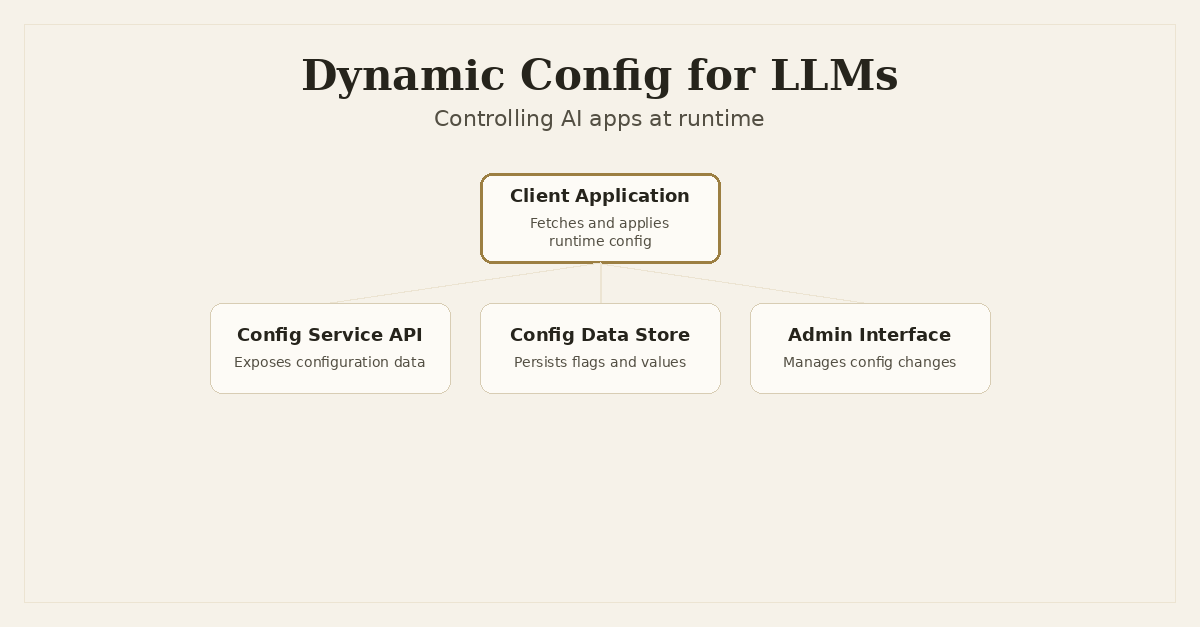
We'll set up a simple FastAPI service that exposes configuration values, and a Python client that consumes them. The configuration will be stored in a PostgreSQL database.
1. Database Schema
We need a table to store our configuration items. Each item will have a key (e.g., default_llm_model), a value, a type, and an optional description.
-- config.sql
CREATE TABLE IF NOT EXISTS application_configs (
    id SERIAL PRIMARY KEY,
    key VARCHAR(255) UNIQUE NOT NULL,
    value TEXT NOT NULL,
    value_type VARCHAR(50) NOT NULL DEFAULT 'string', -- e.g., 'string', 'integer', 'boolean', 'json'
    description TEXT,
    is_enabled BOOLEAN NOT NULL DEFAULT TRUE, -- A basic feature flag component
    created_at TIMESTAMP WITH TIME ZONE DEFAULT CURRENT_TIMESTAMP,
    updated_at TIMESTAMP WITH TIME ZONE DEFAULT CURRENT_TIMESTAMP
);

-- Add a trigger to update 'updated_at' on every change
CREATE OR REPLACE FUNCTION update_updated_at_column()
RETURNS TRIGGER AS $$
BEGIN
    NEW.updated_at = NOW();
    RETURN NEW;
END;
$$
LANGUAGE 'plpgsql';

CREATE TRIGGER update_application_configs_updated_at
BEFORE UPDATE ON application_configs
FOR EACH ROW
EXECUTE FUNCTION update_updated_at_column();

-- Example data
INSERT INTO application_configs (key, value, value_type, description, is_enabled) VALUES
('default_llm_model', 'gpt-4-turbo', 'string', 'The default LLM model to use for general tasks', TRUE),
('enable_cost_optimization', 'true', 'boolean', 'Toggle for cost-aware LLM routing', TRUE),
('max_fallback_retries', '3', 'integer', 'Maximum retries before failing LLM request', TRUE),
('experimental_prompt_v2_enabled', 'false', 'boolean', 'Enable experimental prompt version 2', TRUE)
ON CONFLICT (key) DO NOTHING;
2. FastAPI Configuration Service
This service will expose an endpoint to retrieve all active configurations.
# config_service/main.py
import os
from typing import Dict, Any

from fastapi import FastAPI, Depends, HTTPException
from pydantic import BaseModel
from sqlalchemy import create_engine, Column, Integer, String, Text, Boolean, DateTime, func
from sqlalchemy.ext.declarative import declarative_base
from sqlalchemy.orm import sessionmaker, Session

# Database connection URL from environment variable
DATABASE_URL = os.getenv("DATABASE_URL", "postgresql://user:password@db:5432/configdb")

engine = create_engine(DATABASE_URL)
SessionLocal = sessionmaker(autocommit=False, autoflush=False, bind=engine)
Base = declarative_base()

# SQLAlchemy Model
class ConfigDB(Base):
    __tablename__ = "application_configs"
    id = Column(Integer, primary_key=True, index=True)
    key = Column(String, unique=True, index=True, nullable=False)
    value = Column(Text, nullable=False)
    value_type = Column(String, default='string', nullable=False)
    description = Column(Text)
    is_enabled = Column(Boolean, default=True, nullable=False)
    created_at = Column(DateTime(timezone=True), server_default=func.now())
    updated_at = Column(DateTime(timezone=True), onupdate=func.now(), server_default=func.now())

# Pydantic Model for API response
class ConfigItem(BaseModel):
    key: str
    value: str
    value_type: str
    description: str | None = None
    is_enabled: bool

# Dependency to get DB session
def get_db():
    db = SessionLocal()
    try:
        yield db
    finally:
        db.close()

app = FastAPI(title="Dynamic Configuration Service", version="0.1.0")

@app.on_event("startup")
def startup_event():
    Base.metadata.create_all(bind=engine) # Create tables if they don't exist

@app.get("/configs", response_model=Dict[str, Any])
async def get_all_configs(db: Session = Depends(get_db)):
    """
    Retrieve all active application configurations.
    Returns a dictionary where keys are config keys and values are parsed config values.
    """
    configs = db.query(ConfigDB).filter(ConfigDB.is_enabled == True).all()
    response_data = {}
    for config in configs:
        try:
            parsed_value = config.value
            if config.value_type == 'boolean':
                parsed_value = config.value.lower() == 'true'
            elif config.value_type == 'integer':
                parsed_value = int(config.value)
            elif config.value_type == 'float':
                parsed_value = float(config.value)
            elif config.value_type == 'json':
                import json
                parsed_value = json.loads(config.value)
            # Add more types as needed
            response_data[config.key] = parsed_value
        except (ValueError, json.JSONDecodeError) as e:
            print(f"Warning: Could not parse config key '{config.key}' with type '{config.value_type}'. Error: {e}")
            # Fallback to string or handle error appropriately
            response_data[config.key] = config.value

    return response_data

@app.get("/configs/{key}", response_model=ConfigItem)
async def get_config_by_key(key: str, db: Session = Depends(get_db)):
    """
    Retrieve a single configuration item by its key.
    """
    config = db.query(ConfigDB).filter(ConfigDB.key == key, ConfigDB.is_enabled == True).first()
    if not config:
        raise HTTPException(status_code=404, detail="Configuration not found or not enabled")
    return config

# Example endpoint to set/update config (requires authentication in production)
class UpdateConfigItem(BaseModel):
    value: str
    value_type: str = 'string'
    description: str | None = None
    is_enabled: bool = True

@app.put("/configs/{key}", response_model=ConfigItem)
async def update_config(key: str, item: UpdateConfigItem, db: Session = Depends(get_db)):
    config = db.query(ConfigDB).filter(ConfigDB.key == key).first()
    if not config:
        config = ConfigDB(key=key)
        db.add(config)

    config.value = item.value
    config.value_type = item.value_type
    config.description = item.description
    config.is_enabled = item.is_enabled

    db.commit()
    db.refresh(config)
    return config
3. Client Application Integration
Now, any service that needs dynamic configuration can fetch it from this FastAPI endpoint. We'll add a simple caching mechanism to avoid hitting the config service on every request.
# llm_orchestrator/client.py
import httpx
import asyncio
import time
import json

class DynamicConfigClient:
    def __init__(self, config_service_url: str, refresh_interval_seconds: int = 60):
        self.config_service_url = config_service_url
        self.refresh_interval = refresh_interval_seconds
        self._config_cache: Dict[str, Any] = {}
        self._last_refresh_time = 0
        self._lock = asyncio.Lock()

    async def _fetch_configs(self) -> Dict[str, Any]:
        try:
            async with httpx.AsyncClient() as client:
                response = await client.get(f"{self.config_service_url}/configs")
                response.raise_for_status()
                return response.json()
        except httpx.HTTPStatusError as e:
            print(f"HTTP error fetching configs: {e.response.status_code} - {e.response.text}")
        except httpx.RequestError as e:
            print(f"Network error fetching configs: {e}")
        except json.JSONDecodeError as e:
            print(f"JSON decode error: {e}")
        return {}

    async def get_config(self, key: str, default: Any = None) -> Any:
        async with self._lock:
            if not self._config_cache or (time.time() - self._last_refresh_time > self.refresh_interval):
                print("Refreshing configuration cache...")
                new_configs = await self._fetch_configs()
                if new_configs:
                    self._config_cache = new_configs
                    self._last_refresh_time = time.time()
                else:
                    print("Failed to refresh configs, using stale cache or defaults.")

            return self._config_cache.get(key, default)

    async def get_all_configs(self) -> Dict[str, Any]:
        async with self._lock:
            if not self._config_cache or (time.time() - self._last_refresh_time > self.refresh_interval):
                print("Refreshing configuration cache...")
                new_configs = await self._fetch_configs()
                if new_configs:
                    self._config_cache = new_configs
                    self._last_refresh_time = time.time()
                else:
                    print("Failed to refresh configs, using stale cache or defaults.")
            return self._config_cache

# Example usage in an LLM orchestration service
CONFIG_SERVICE_URL = os.getenv("CONFIG_SERVICE_URL", "http://localhost:8001")
config_client = DynamicConfigClient(CONFIG_SERVICE_URL, refresh_interval_seconds=30)

async def route_llm_request(prompt: str, user_tier: str = "standard"):
    configs = await config_client.get_all_configs()

    default_model = configs.get("default_llm_model", "gpt-3.5-turbo")
    enable_cost_optimization = configs.get("enable_cost_optimization", False)
    experimental_prompt_v2_enabled = configs.get("experimental_prompt_v2_enabled", False)

    model_to_use = default_model
    if enable_cost_optimization and user_tier == "standard":
        # In a real scenario, this would involve more complex logic,
        # possibly fetching real-time model costs from another config or external API
        model_to_use = configs.get("cost_optimized_llm_model", "llama2")

    current_prompt = prompt
    if experimental_prompt_v2_enabled:
        print("Using experimental prompt version 2...")
        # In a real app, you'd fetch the actual prompt template from config or a template store
        current_prompt = f"[EXPERIMENTAL V2] {prompt}"

    print(f"Routing request with model: {model_to_use}, prompt: {current_prompt}")
    # Simulate calling an LLM API
    await asyncio.sleep(0.1)
    return f"Response from {model_to_use} for '{current_prompt[:20]}...'"

async def main():
    print("--- Initial Request ---")
    response = await route_llm_request("Tell me a story about a brave knight.")
    print(response)

    # Simulate some time passing, config might change via the admin UI
    await asyncio.sleep(35) # Longer than refresh_interval_seconds

    print("\n--- Request after config refresh (simulated change: toggle experimental prompt) ---")
    # Imagine config_service/main.py's PUT endpoint was called to toggle 'experimental_prompt_v2_enabled' to true
    response = await route_llm_request("Tell me another story.")
    print(response)

    print("\n--- Request with cost optimization (simulated change: toggle cost optimization) ---")
    # Imagine 'enable_cost_optimization' was set to true and 'cost_optimized_llm_model' set to 'llama2'
    response = await route_llm_request("Summarize a document.", user_tier="standard")
    print(response)

if __name__ == "__main__":
    asyncio.run(main())
This setup gives you a basic, yet powerful, way to manage your application's behavior at runtime. The update_config endpoint in the config_service would ideally be secured with robust authentication and authorization, and typically exposed to an internal admin UI or a CI/CD pipeline, not directly to public users.
Advanced Patterns for LLM Agility
Once you have a dynamic configuration system in place, you can unlock more sophisticated patterns:
- Model Toggles and Routing: Beyond a single
default_llm_model, you can define complex routing rules. For instance, a configuration like{"task_type": {"summarization": "claude-3-opus", "translation": "gpt-4-turbo"}}could dictate which model to use based on the task. Ais_provider_enabled_openaiflag could instantly disable OpenAI if there's an issue. - Prompt Versioning and A/B Testing: Store multiple prompt templates (or just their IDs) in your configuration. You can then dynamically select which prompt version to use for a request based on user ID, a random split for A/B testing, or specific conditions. For example,
active_prompt_template_id = "summarization_v3". - Failover Logic: When a request to an LLM provider fails, your application can check a dynamic config flag like
failover_to_secondary_llm_enabled. If true, it fetchessecondary_llm_modeland retries. This can be combined with real-time health checks on providers. - Rate Limit Adjustments: If your application has internal rate limiting before hitting external LLM APIs, these limits can be dynamically adjusted. For instance,
max_requests_per_minute = 100could be lowered during periods of high load or if a provider reports issues. - Cost Management: Integrate with real-time cost data (if available) or predefined cost tiers. A configuration could specify
cost_threshold_high_priority_model = 0.05(cost per 1k tokens), and your routing logic switches to a cheaper model if the chosen one exceeds this threshold for non-priority tasks. - Context Window Management: Dynamically adjust the maximum context window size to balance cost and performance, perhaps based on the model's actual capacity or the application's current budget.
max_context_tokens = 4096.
Key Considerations for Production
Implementing dynamic configuration isn't just about storing values; it's about building a robust system around it:
- Caching and Refresh Strategies: As demonstrated, caching is crucial for performance. Decide on a refresh interval. Consider push-based updates (WebSockets, server-sent events) for critical flags that need immediate propagation, though this adds complexity.
- Consistency: Understand if you need strong or eventual consistency. For most configuration changes, eventual consistency (where clients might briefly use stale config) is acceptable. For critical kill switches, you might need faster propagation.
- Security and Access Control: Who can change configuration values? Implement robust authentication, authorization, and audit logging for your config service. Mistakes here can have significant impacts.
- Rollback Mechanisms: What if a config change breaks something? Your system should allow for quick rollbacks to previous stable configurations. Versioning your configurations helps here.
- Observability: Monitor when configs are changed, by whom, and when clients refresh their caches. This is vital for debugging and understanding system behavior.
- Data Types and Validation: Strictly validate the
value_typeand thevalueitself to prevent runtime errors in client applications. Our example does basic parsing, but a production system would need more comprehensive validation. - Default Values: Always have sensible default values in your client applications. If the config service is unreachable or a key is missing, your application shouldn't crash.
Conclusion
The LLM ecosystem is evolving at an unprecedented rate. Building static applications in this environment is like trying to hit a moving target with a fixed aim. Dynamic configuration and feature flags give us the necessary flexibility to adapt, experiment, and recover quickly. They shift control from compile-time to runtime, empowering engineering teams to manage model selection, prompt variations, and failover strategies with surgical precision and minimal downtime. Embracing these patterns isn't just a best practice; it's a fundamental requirement for building resilient, cost-effective, and cutting-edge LLM-powered products.
Frequently Asked Questions
Why are dynamic configuration and feature flags particularly important for LLM applications?
LLM applications face unique challenges like rapid model evolution, varying costs, API rate limits, and provider outages. Dynamic configuration and feature flags allow engineers to adapt to these changes in real-time without code deployments, enabling quick A/B testing, failovers, and cost optimization.
What's the difference between a feature flag and dynamic configuration?
A feature flag is typically a binary switch (on/off) to enable or disable a specific feature or code path. Dynamic configuration refers to changing specific values or parameters (e.g., model name, temperature setting, API key) at runtime. They often use the same underlying systems.
How can I implement a basic dynamic configuration system in Python/FastAPI?
A common approach involves storing configuration data in a database (like PostgreSQL), exposing it via a FastAPI endpoint, and having client services fetch and cache this configuration. This allows for centralized management and real-time updates.
What are some advanced use cases for dynamic configuration in LLM orchestration?
Beyond simple on/off switches, dynamic config enables sophisticated model routing based on cost or performance, A/B testing different prompts or model versions, implementing real-time failover strategies between providers, and dynamically adjusting internal rate limits.
Written by Ansh Gautam
Full-stack engineer building production systems with FastAPI, React, and AI/LLM integrations. Currently looking for backend engineering & AI integration roles.