Optimizing LLM Costs and Latency: A Deep Dive into Production Caching Strategies
LLM API calls are expensive and can be slow. I've been integrating caching strategies into my AI systems, particularly within the Dronzer AI Gateway and Snapfix, to dramatically cut costs and improve response times.
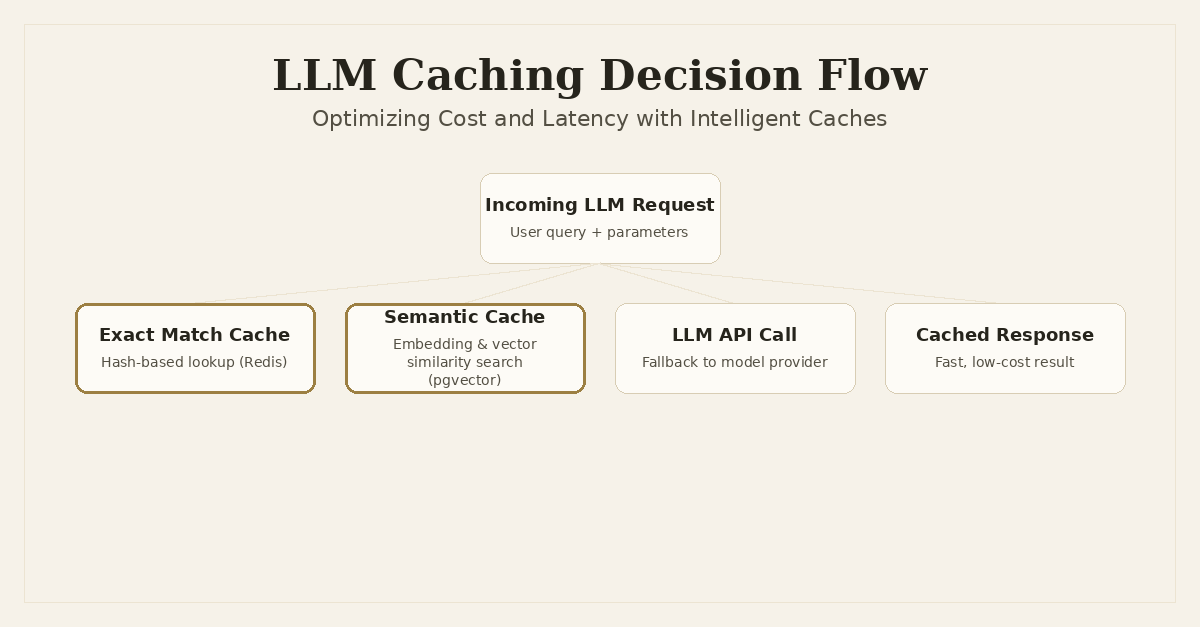
LLMs are incredibly powerful tools. They've changed how we approach complex problems, from generating code in Snapfix to orchestrating intelligent routing in Dronzer AI Gateway. But their power comes with a price: API calls can be expensive, and inference latency, while improving, can still impact user experience, especially in real-time or high-volume scenarios. This makes caching an absolutely critical component in any production LLM system.
I’ve spent a good chunk of time integrating and refining caching strategies to optimize both cost and latency across my AI projects. It's not just about throwing a Redis instance in front of an API; LLMs introduce unique challenges that demand more nuanced approaches. We need to think beyond simple key-value pairs.
The Problem with Repetitive LLM Calls
Imagine a scenario where thousands of users are asking slightly varied versions of the same question. Or, in the case of Snapfix, multiple developers encountering similar Python tracebacks. Without caching, each of these interactions triggers a fresh LLM API call. This quickly leads to several problems:
- Exploding API Costs: Most LLM providers charge per token. Repetitive calls for similar prompts mean you're paying for the same computation over and over again. This can balloon your operational costs, making your service economically unviable at scale.
- Increased Latency: Even with fast models, network round trips and inference times add up. For an interactive tool like Snapfix, waiting even a few seconds for a fix suggestion for a common error is a poor user experience. For batch processing or high-throughput systems, this latency can become a significant bottleneck.
- Redundant Computation: The LLM is doing the same work repeatedly, consuming valuable computational resources on the provider's side and slowing down overall system throughput.
These issues are magnified in a system like Dronzer AI Gateway, which acts as a central orchestration layer. If every request passing through Dronzer hits an external LLM, the costs and latency can quickly become unmanageable for downstream services.
Two Core Caching Strategies for LLMs
To address these challenges, I've primarily focused on two distinct caching strategies: exact match prompt caching and semantic caching. Each has its place and its trade-offs.
1. Exact Match Prompt Caching: The Speedy but Strict Approach
Exact match caching is the most straightforward form of caching. It works by generating a unique hash for the entire LLM request (prompt, model, temperature, top_p, etc.) and storing the LLM's response associated with that hash. If an identical request comes in again, you serve the cached response immediately.
How it works:
- Hashing: Before sending a request to the LLM, all relevant parameters (prompt text, model identifier, temperature, any other
kwargs) are serialized into a canonical string format. This string is then hashed (e.g., using SHA256) to create a unique cache key. - Lookup: The system checks if this cache key exists in the cache store (e.g., Redis, Memcached, or even a local dictionary for simpler cases).
- Hit/Miss: If a match is found (cache hit), the stored response is returned. If not (cache miss), the request is sent to the LLM, and its response is stored in the cache with the generated key for future use.
Implementation Details:
For a distributed system or one with high concurrency, Redis is an excellent choice for an exact match cache due to its speed and flexible data structures. Here's a simplified Python example:
import json
import hashlib
import asyncio
from redis.asyncio import Redis # Use async Redis client for FastAPI

# Assuming Redis client is initialized globally or via dependency injection
redis_client = Redis(host='localhost', port=6379, db=0)

def generate_cache_key(prompt: str, model: str, temperature: float, **kwargs) -> str:
    # Normalize and hash input parameters for consistent key generation
    data = {
        "prompt": prompt,
        "model": model,
        "temperature": temperature,
        **kwargs
    }
    # Ensure consistent serialization (e.g., sorted keys) for hashing
    sorted_data = json.dumps(data, sort_keys=True, ensure_ascii=False)
    return hashlib.sha256(sorted_data.encode('utf-8')).hexdigest()

async def get_cached_response(key: str) -> str | None:
    cached_bytes = await redis_client.get(key)
    return cached_bytes.decode('utf-8') if cached_bytes else None

async def set_cached_response(key: str, response: str, ttl: int = 3600):
    # ttl is time-to-live in seconds (e.g., 1 hour)
    await redis_client.setex(key, ttl, response.encode('utf-8'))

async def call_llm_with_exact_cache(prompt: str, model: str, temperature: float = 0.7, **kwargs) -> str:
    cache_key = generate_cache_key(prompt, model, temperature, **kwargs)
    cached_response = await get_cached_response(cache_key)

    if cached_response:
        print(f"[{model}] Exact Cache hit for key: {cache_key[:8]}...")
        return cached_response

    print(f"[{model}] Exact Cache miss. Calling LLM for: '{prompt[:50]}...'")
    # Simulate actual LLM API call (replace with your LiteLLM/OpenAI/Anthropic call)
    await asyncio.sleep(2) # Placeholder for network latency + inference
    llm_response = f"LLM response from {model} for prompt: '{prompt}'"

    await set_cached_response(cache_key, llm_response)
    return llm_response

# Example Usage:
async def main():
    print("--- Exact Match Caching Demo ---")
    # First call - cache miss
    response1 = await call_llm_with_exact_cache(
        prompt="What is the capital of France?",
        model="gpt-3.5-turbo"
    )
    print(f"Response 1: {response1[:50]}...")

    # Second call - exact cache hit
    response2 = await call_llm_with_exact_cache(
        prompt="What is the capital of France?",
        model="gpt-3.5-turbo"
    )
    print(f"Response 2: {response2[:50]}...")

    # Third call - different prompt, cache miss
    response3 = await call_llm_with_exact_cache(
        prompt="Tell me about Paris.",
        model="gpt-3.5-turbo"
    )
    print(f"Response 3: {response3[:50]}...")

if __name__ == '__main__':
    asyncio.run(main())
Limitations:
The major drawback of exact match caching is its sensitivity. A single character change, different capitalization, or even an extra space in the prompt will result in a cache miss. This makes it less effective for natural language inputs where users might phrase the same query in slightly different ways. For Snapfix, where tracebacks can have minor variations in line numbers or variable names, this limitation is particularly apparent.
2. Semantic Caching: The Intelligent, Flexible Approach
Semantic caching goes a step further. Instead of hashing the raw prompt, it converts the prompt into a numerical vector representation (an embedding) and stores this embedding along with the LLM's response. When a new query comes in, its embedding is generated, and a vector similarity search is performed against the stored embeddings. If a sufficiently similar embedding is found, the associated cached response is returned.
How it works:
- Embedding Generation: The incoming prompt is passed through an embedding model (e.g., OpenAI's
text-embedding-ada-002, Sentence Transformers) to generate a high-dimensional vector. - Vector Search: This query embedding is used to search a vector database (e.g.,
pgvectorin PostgreSQL, Chroma, Milvus, Pinecone) for other embeddings that are semantically close, based on a similarity metric like cosine similarity. - Similarity Threshold: If a stored embedding is found above a predefined similarity threshold (e.g., cosine similarity > 0.9), the corresponding cached LLM response is retrieved.
- Hit/Miss: If a sufficiently similar match is found, it's a semantic cache hit. Otherwise, it's a miss, the request goes to the LLM, and the new prompt's embedding and the LLM's response are stored in the vector database.
Benefits:
Semantic caching is far more robust than exact match. It can handle paraphrasing, minor typos, and rephrased questions, significantly increasing the cache hit rate for natural language applications. This is invaluable for Dronzer AI Gateway, where users might query different models with similar intents, or for Snapfix, where similar error patterns might manifest with slightly different stack trace details.
Implementation Details:
Implementing semantic caching requires an embedding model and a vector database. For Python, pgvector with PostgreSQL and SQLAlchemy is a solid, open-source choice that integrates well with FastAPI. Here's a conceptual code example:
import asyncio
from typing import List, Dict, Any
from sqlalchemy import create_async_engine, Column, Text, Float, Integer
from sqlalchemy.orm import sessionmaker, declarative_base
from sqlalchemy.ext.asyncio import AsyncSession
from sqlalchemy.future import select
from pgvector.sqlalchemy import Vector # Requires pgvector PostgreSQL extension

# --- Dummy Embedding Model (replace with actual API/local model) ---
# In a real system, you'd use a robust embedding model like OpenAI's or SentenceTransformers.
# This dummy provides a consistent vector for demonstration.
class DummyEmbeddingModel:
    def embed(self, text: str) -> List[float]:
        # A real embedding would be a high-dimensional float vector.
        # For demo, we'll create a fixed-size vector based on text length.
        # Assume a dimension of 1536 for consistency with common models like ada-002.
        vector_dim = 1536
        base_value = float(len(text) % 100) / 100.0 # Simple deterministic value
        return [base_value] * vector_dim

dummy_embedding_model = DummyEmbeddingModel()

# --- SQLAlchemy Setup for pgvector ---
# Ensure you have 'asyncpg' installed for async PostgreSQL support
DATABASE_URL = "postgresql+asyncpg://user:password@localhost/llm_cache_db"
async_engine = create_async_engine(DATABASE_URL, echo=False)
AsyncSessionLocal = sessionmaker(async_engine, class_=AsyncSession, expire_on_commit=False)

Base = declarative_base()

class SemanticCacheEntry(Base):
    __tablename__ = "semantic_cache"
    id = Column(Integer, primary_key=True, index=True)
    prompt_text = Column(Text, nullable=False)
    prompt_embedding = Column(Vector(1536), nullable=False) # Store 1536-dim vector
    response_text = Column(Text, nullable=False)
    model_name = Column(Text, nullable=False)
    temperature = Column(Float, nullable=False)
    # Add other LLM parameters like top_p, max_tokens, etc., for more precise caching

async def init_db():
    async with async_engine.begin() as conn:
        await conn.run_sync(Base.metadata.create_all)
        # Enable pgvector extension if not already enabled
        await conn.execute(select(1).from_statement(text("CREATE EXTENSION IF NOT EXISTS vector")))

# Dependency to get an async DB session in FastAPI
async def get_db_session():
    async with AsyncSessionLocal() as session:
        yield session

# --- Semantic Caching Logic ---
async def get_semantic_cached_response(
    session: AsyncSession,
    prompt: str,
    model: str,
    temperature: float,
    similarity_threshold: float = 0.85, # Tune this threshold carefully
) -> str | None:
    query_embedding = dummy_embedding_model.embed(prompt)

    # Query for similar embeddings using cosine distance
    # pgvector's <-> operator computes Euclidean distance, <#> is negative inner product (cosine similarity if normalized)
    # We'll use cosine_distance for clarity, which is 1 - cosine_similarity
    # So, a lower distance means higher similarity.
    result = await session.execute(
        select(SemanticCacheEntry)
        .filter(SemanticCacheEntry.model_name == model)
        .filter(SemanticCacheEntry.temperature == temperature)
        .order_by(SemanticCacheEntry.prompt_embedding.cosine_distance(query_embedding))
        .limit(1)
    )
    entry = result.scalars().first()

    if entry:
        distance = entry.prompt_embedding.cosine_distance(query_embedding)
        similarity = 1 - distance # Convert distance to similarity for easier interpretation
        if similarity >= similarity_threshold:
            print(f"[{model}] Semantic Cache hit! Similarity: {similarity:.2f} (Threshold: {similarity_threshold})")
            return entry.response_text

    return None

async def set_semantic_cached_response(
    session: AsyncSession,
    prompt: str,
    response: str,
    model: str,
    temperature: float,
):
    embedding = dummy_embedding_model.embed(prompt)
    new_entry = SemanticCacheEntry(
        prompt_text=prompt,
        prompt_embedding=embedding,
        response_text=response,
        model_name=model,
        temperature=temperature,
    )
    session.add(new_entry)
    await session.commit()
    print(f"[{model}] Semantic Cache updated for: '{prompt[:50]}...' ")

async def call_llm_with_semantic_cache(prompt: str, model: str, temperature: float = 0.7, **kwargs) -> str:
    async with AsyncSessionLocal() as session:
        cached_response = await get_semantic_cached_response(session, prompt, model, temperature)

        if cached_response:
            return cached_response

        print(f"[{model}] Semantic Cache miss. Calling LLM for: '{prompt[:50]}...' ")
        # Simulate actual LLM API call
        await asyncio.sleep(3) # Placeholder for network latency + inference
        llm_response = f"LLM semantic response from {model} for prompt: '{prompt}'"

        await set_semantic_cached_response(session, prompt, llm_response, model, temperature)
        return llm_response

# Example Usage:
async def main_semantic():
    await init_db()
    print("\n--- Semantic Caching Demo ---")
    # First call - cache miss
    response1 = await call_llm_with_semantic_cache(
        prompt="Tell me the capital of France.",
        model="gpt-4"
    )
    print(f"Response 1: {response1[:50]}...")

    # Second call - semantically similar, cache hit
    response2 = await call_llm_with_semantic_cache(
        prompt="What's the main city of France?",
        model="gpt-4"
    )
    print(f"Response 2: {response2[:50]}...")

    # Third call - slightly different, might hit or miss based on threshold
    response3 = await call_llm_with_semantic_cache(
        prompt="Which city is the governmental seat of France?",
        model="gpt-4"
    )
    print(f"Response 3: {response3[:50]}...")

    # Fourth call - completely different, cache miss
    response4 = await call_llm_with_semantic_cache(
        prompt="Explain quantum entanglement.",
        model="gpt-4"
    )
    print(f"Response 4: {response4[:50]}...")

if __name__ == '__main__':
    asyncio.run(main_semantic())
Challenges:
Semantic caching introduces its own set of complexities:
- Embedding Costs: Generating embeddings itself requires an API call to an embedding model, which incurs costs and latency. You need to ensure the cost of generating the embedding and performing the vector search is less than or equal to the cost savings from avoiding the full LLM call.
- Vector Search Latency: While often faster than a full LLM inference, vector similarity search, especially on very large datasets, can add noticeable latency. Indexing strategies (e.g., HNSW) in your vector database are crucial.
- Similarity Threshold Tuning: The
similarity_thresholdis critical. Too high, and you miss potential cache hits. Too low, and you risk serving irrelevant or inaccurate cached responses (false positives). - Data Freshness: How do you invalidate semantic cache entries? It's harder than exact match. A simple TTL might work, but for rapidly changing information, you need more sophisticated strategies or to bypass caching entirely.
Architecting a Caching Layer for LLMs
Implementing these strategies effectively requires careful architectural design. The caching layer isn't just an afterthought; it's a core component of a resilient and cost-effective AI system.
Where to Place the Cache
- Client-Side: Simple, but limited. Good for individual users or local applications like Snapfix for very specific, repeated prompts.
- Service-Level: Each service that uses LLMs implements its own caching. This can lead to duplicated effort and inconsistent policies.
- API Gateway/Proxy (like Dronzer AI Gateway): This is often the ideal placement. A centralized gateway can inspect all LLM requests, apply global caching policies, and manage cache entries. This provides a single point of control for cost optimization and performance tuning, benefiting all downstream services without them needing to implement caching themselves.
Cache Invalidation Strategies
- Time-To-Live (TTL): The simplest approach. Cache entries expire after a set duration. Suitable for data that doesn't change rapidly.
- Least Recently Used (LRU) / Least Frequently Used (LFU): Evicts older or less used entries when the cache is full. Common for in-memory caches.
- Explicit Invalidation: Programmatically remove entries when the underlying information changes. This is complex for LLM outputs unless you have a clear mapping between input and external data sources.
- Heuristic-Based for Semantic Cache: For semantic caching, invalidation is trickier. You might need to re-embed and re-cache responses periodically, or implement a system where a new LLM call for a semantically similar prompt automatically updates the cache if the new response is significantly different.
Handling Non-Deterministic Responses
Not all LLM calls should be cached. For highly creative tasks, code generation where subtle variations are desired, or tasks involving real-time, rapidly changing external data, caching might be detrimental. You need a mechanism to bypass caching based on the request's intent or specific parameters. In Dronzer, this could be a flag in the request payload that the gateway interprets.
Considerations for Streaming Responses
LLMs often stream responses token by token. Caching a full streamed response means waiting for the entire response to be generated before storing it. For exact match, this is fine. For semantic caching, you'd still embed the initial prompt, but the response itself is cached only after completion. If you need to cache partial responses, the complexity increases significantly, often requiring chunking and reassembly logic.
Trade-offs and Gotchas
Implementing a robust LLM caching layer isn't free. It introduces several trade-offs you need to consider:
- Increased Infrastructure Complexity: You're adding new components (Redis, vector database, embedding models) to your stack. This means more services to deploy, monitor, and maintain.
- Cache Coherence and Staleness: Ensuring cached data is fresh and consistent with the latest LLM behavior or underlying knowledge is a constant challenge. An aggressive TTL can lead to more cache misses, while a long TTL can lead to stale responses.
- Cost of Embeddings: While semantic caching saves on LLM inference costs, the embedding generation itself costs money (e.g., OpenAI's embedding API is charged per token). You need to calculate the break-even point.
- Performance Overhead: While caching generally speeds things up, the act of checking the cache (hashing, Redis lookup, embedding generation, vector search) adds a small overhead to every request, even cache misses. This overhead needs to be less than the savings from avoiding the full LLM call.
- Tuning Similarity Thresholds: For semantic caching, the similarity threshold is a hyperparameter. It often requires iterative testing and validation against your specific use cases to find the sweet spot that balances hit rate with accuracy.
Lessons Learned from Dronzer and Snapfix
My work on Dronzer AI Gateway and Snapfix has provided concrete lessons in the practical application of these caching strategies.
For Snapfix, which provides real-time AI-generated fix suggestions for Python tracebacks, latency is paramount. Exact match caching is useful for identical, common error messages. However, semantic caching is where the real power lies. Tracebacks often vary slightly due to different variable names, file paths, or line numbers, even if the underlying error is the same. By semantically caching common error patterns and their fixes, Snapfix can drastically reduce the need to hit the LLM API for every minor variation. This not only cuts down on API costs but, more importantly, makes the real-time suggestions feel instantaneous, significantly enhancing the developer experience.
In the Dronzer AI Gateway, caching becomes a strategic, enterprise-grade feature. As an orchestration engine routing requests across 45+ LLM providers, Dronzer is the perfect place to centralize caching logic. We can implement a multi-layered caching strategy:
- Global Exact Match Cache: A Redis-backed cache for truly identical requests across all models, ensuring that if any service has asked exactly this before, we serve it from cache.
- Model-Specific Semantic Caches: Each LLM provider might have its own semantic cache, or a unified semantic cache can be implemented at the gateway level. This allows Dronzer to inspect the incoming prompt, generate an embedding, and check if a sufficiently similar query has been made to any model that can fulfill the request.
- Dynamic Policies: Dronzer's architecture allows for dynamic caching policies based on the request's metadata. For example, requests marked as
creative_mode=trueorrealtime_data=truecould bypass caching entirely, while standard Q&A or summarization tasks could leverage aggressive caching. This flexibility is crucial for serving diverse enterprise use cases.
Implementing caching at the Dronzer gateway level means that downstream services don't need to worry about it. They just send their LLM requests to Dronzer, and the gateway intelligently handles the caching, cost optimization, and performance acceleration transparently. This also provides a single point for monitoring cache hit rates, cost savings, and overall system performance.
Conclusion
Caching is no longer an optional optimization for LLM-powered applications; it's a fundamental pillar of building cost-effective, high-performance, and scalable AI systems. While exact match caching offers immediate gains for strictly identical inputs, semantic caching unlocks significant potential for natural language applications by intelligently handling variations. Both approaches come with their own set of engineering challenges, from infrastructure complexity to cache invalidation strategies and the nuanced tuning of similarity thresholds.
By carefully designing and implementing these caching layers, as I've done with Dronzer AI Gateway and Snapfix, we can dramatically reduce operational costs, lower API latency, and deliver a much smoother, faster user experience. The effort invested upfront in a robust caching architecture pays dividends many times over as your LLM applications scale. It's about building smarter, not just faster, AI systems.
Frequently Asked Questions
What is the primary benefit of caching LLM responses?
The main benefits are significantly reducing API costs by avoiding redundant calls and decreasing response latency, leading to a faster and more cost-efficient user experience.
What's the difference between exact match and semantic caching?
Exact match caching stores responses based on an identical prompt and parameters, while semantic caching uses vector embeddings to find responses for semantically similar (but not identical) prompts, offering more flexibility.
When should I use semantic caching over exact match caching?
Semantic caching is ideal when prompts might have minor variations or paraphrasing but seek the same underlying intent. Exact match caching is simpler and faster for truly identical, repetitive queries.
What are the trade-offs of implementing LLM caching?
Caching adds complexity to your system architecture, requires careful cache invalidation strategies, and semantic caching introduces costs for embedding generation and vector database operations. Balancing these against the benefits is key.
Written by Ansh Gautam
Full-stack engineer building production systems with FastAPI, React, and AI/LLM integrations. Currently looking for backend engineering & AI integration roles.